
Download BP Monitory – blood pressure monitor, blood pressure tracking, hypertension management, health tracker, personal health app, monitor blood pressure, heart health
Overview
BP Monitory is a lifestyle-focused Android application designed to support individuals in monitoring their blood pressure readings with ease. The software enables users to manually log their measurements, creating a consistent record of cardiovascular health over time. This functionality is particularly useful for those managing hypertension or seeking to maintain a proactive approach to heart health. By offering a straightforward method for data entry, the app helps users identify patterns and trends in their readings, which may inform lifestyle adjustments or medical consultations.
The target audience includes health-conscious individuals, patients with diagnosed hypertension, and anyone interested in tracking vital health metrics. The app’s emphasis on simplicity makes it accessible to users of all technical skill levels, ensuring that even those unfamiliar with digital health tools can use it confidently. All data is stored locally on the device, reinforcing privacy and reducing concerns about third-party access to sensitive health information.
Real-world use cases include daily monitoring for individuals on medication, tracking changes after dietary or exercise modifications, and maintaining a personal health log for doctor visits. The developer did not provide additional details about the app’s background or development team. However, the app’s focus on secure, local data storage and user-friendly design reflects a commitment to practical health management.
Key Features & Capabilities
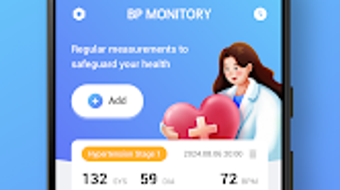
- Manual Blood Pressure Logging – Users can input systolic and diastolic readings along with heart rate, allowing for a comprehensive record of each measurement.
- Local Data Storage – All health data is saved directly on the user’s device, minimizing privacy risks and ensuring data remains under personal control.
- Intuitive User Interface – The app features a clean, minimal design that simplifies navigation and reduces the learning curve for new users.
- Reading History & Tracking – Users can view past entries in a chronological format, helping to visualize trends over days, weeks, or months.
- Free to Use – The software is available at no cost, making it accessible to a broad audience interested in health monitoring.
These features support consistent health tracking without requiring internet connectivity or cloud synchronization. For example, a user can log their morning reading before a workout, then review the data later to assess how physical activity impacts blood pressure. The local storage model also ensures that data remains available even when the device is offline.
User Interface, Workflow & Performance
The user interface of BP Monitory is structured around simplicity and clarity. Main actions such as adding a new reading or viewing historical data are accessible from the home screen with minimal navigation. The layout uses large, clearly labeled input fields and straightforward buttons, reducing the chance of user error during data entry.
Workflow efficiency is enhanced by the app’s direct input method. Users can quickly enter their readings and confirm them with a single tap, minimizing time spent on logging. The navigation remains consistent across all screens, contributing to a predictable and user-friendly experience.
Performance observations are based on general software behavior patterns. The developer did not specify resource usage details. However, given the app’s small size of 10.2 MB and its focus on basic data logging, it is expected to operate smoothly on most Android devices. Stability is likely maintained through minimal background processes, and the app is designed to avoid excessive CPU or RAM consumption.
Compatibility & System Requirements
BP Monitory is designed for Android devices, with version 1.0.0 released on May 15, 2024. The installation size is 10.2 MB, indicating a lightweight footprint that should not strain device storage. The developer did not specify minimum hardware requirements or supported Android versions.
Platform compatibility information is limited. While the app is intended for Android, exact compatibility with older or newer OS versions was not provided. Users are advised to check their device’s compatibility through the official app store. The developer did not list any specific hardware dependencies, suggesting broad compatibility across standard Android smartphones and tablets.
Pros and Cons
Pros
- Free to download and use with no in-app purchases
- Local data storage enhances privacy and security
- Simple, intuitive interface suitable for all users
- Lightweight installation size (10.2 MB)
- Manual input method allows flexibility for users with various devices
Cons
- No cloud backup or synchronization across devices
- Manual data entry required, which may lead to inconsistent logging
- Exact system requirements were not listed
- Limited to Android platform
- Does not support automatic reading import from connected devices
FAQ Section
Is BP Monitory available for iOS devices?
Currently, the app is only available for Android. There is no information indicating future support for iOS platforms.
Can I back up my data to the cloud?
No, the app does not offer cloud backup or synchronization. All data is stored locally on the device.
Does BP Monitory require an internet connection?
While the app functions offline, an internet connection may be needed for updates or future features, if added by the developer.
Is the app safe to use for medical purposes?
BP Monitory is designed as a personal health tracking tool and is not intended to replace professional medical advice or diagnostic equipment.
How often should I update the app?
Users should install updates when available to ensure access to the latest features and security improvements, if any.
Final Thoughts + CTA
BP Monitory delivers a focused, privacy-first solution for individuals committed to monitoring their blood pressure. Its lightweight design, free access, and local data storage make it a reliable companion for daily health tracking. While it lacks advanced features like cloud sync or automatic data import, its simplicity is a strength for users who value control and confidentiality.
Those managing hypertension, monitoring lifestyle changes, or seeking a straightforward way to track heart health will benefit most from this tool. It is especially suitable for users who prefer not to share their health data with third parties.
Download BP Monitory now to take a proactive step toward better cardiovascular wellness.







